
Hello there!
This article is the second one of a series where I will share how the service I have released 2 months ago, https://profundis.io, helps me every day in my bug bounty journey.
This time, Profundis simply helped find the vulnerable asset.
Finding the asset
The asset was discovered after doing some sorting of my target data.
The query I used was simply host:*.domain.com AND title:* AND status_code:200. This query makes sure there is a full working website running on the subdomain, and that this website has some interesting content (by using title:* which means “there should be a title detected”)
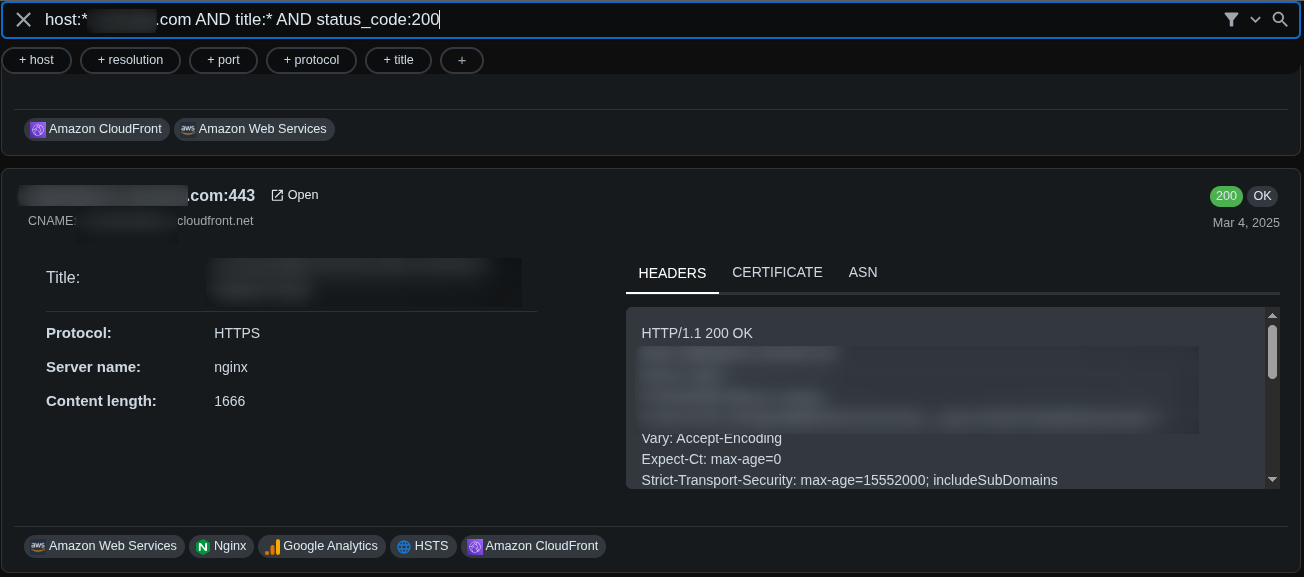
This website was a classic React website with an index.html and a main.805b34af.js. Any normal user would be redirected straight away to Microsoft’s SSO landing page, asking for user credentials.
I really love these situations because:
- Unexperienced hunters using only screenshotting tools (aquatone, eyewitness etc.) will miss these ones as the screenshot taken will only show a classic SSO page and nothing else
- Not everyone has the will to reverse some javascript code, and many hunters just don’t mess with these websites
- I’m the kind of guy who can spend 30 min reading raw webpack bundles to find endpoints and pieces of code and find bugs
The bug
Usually when I start looking at these websites, I focus on the authentication process first. How does that app handle SSO ?
Looking for answers, I stumbled on this piece of code:
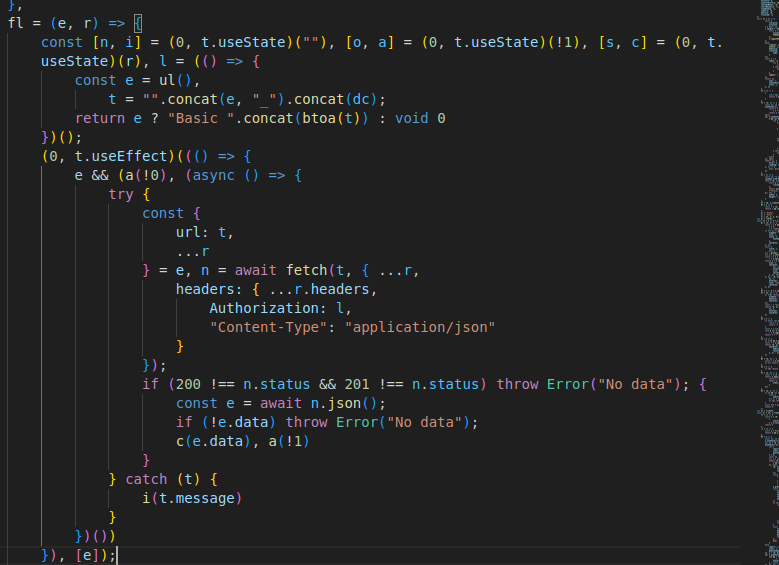
What you are looking at is the way the developer chose to authenticate the users against the API. At first sight, it looks to be some kind of “Basic” authentication.
Let’s explain this simple code very quickly:
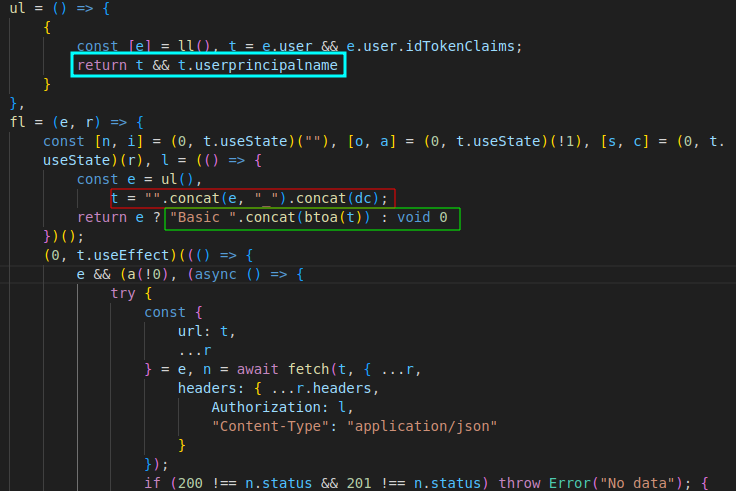
- In blue, we get the token result of the SSO authentication, and return the UPN (UserPrincipalName) of the user: that can be the email, or the internal username of the user
- In red, we concatenate the UPN with a var “dc” and a
_between the two parts - In green, we base64 encode the forged auth token.
Something felt very off at this moment, what’s dc ? is it really somewhere in the code ?
Fortunately, I’m a vscode user, and finding the answer to this question was just a matter of ctrl+hover on the dc var :

Yep, it was hardcoded…
If you don’t understand why this is bad, let’s sum-up:
The authentication of the API relies on an UPN (that can be found) and an hardcoded token!
How to hit the Critical report with all of this
To hit a critical bug, we need to impact the confidentiality and the integrity of the data stored in that system. Now, everything was a matter of finding the endpoints of the api, and find a way to read and modify some data.
Finding the endpoints
I have a few quick ways to find endpoints within the javascript. The simplest one is to search (using vscode) for common patterns:
apiurlPOST- …
Using that method, I found these that looked promising:
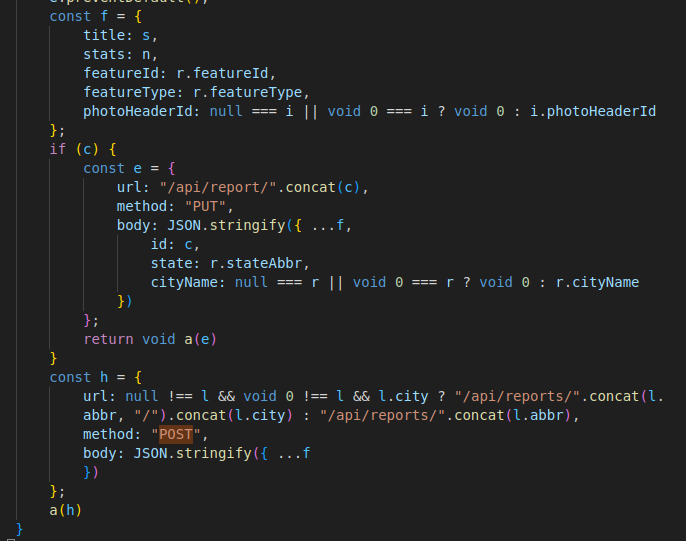
The POST request allows an authenticated user to create a report with specific parameters, It should work! let’s try:
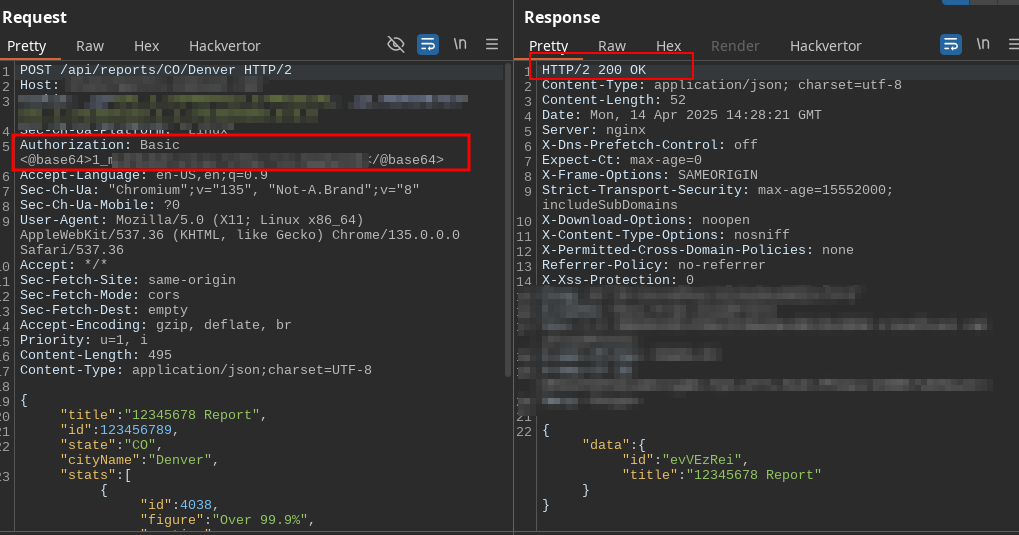
As you can see, using an UPN 1 with the secret, we can successfully call the POST endpoint and create reports within the system. We can also modify the report based on its ID, but the ID is not guessable! 8 characters Upper/lower, that’s 52^8 possibilities (the number looks like this: 53,459,728,531,456, good luck explaining the impact of that IDOR to a triager :^) )
To prove the IDOR and the read capabilities, we need to find a way to let the system tell us the available reports, with their ID.
That’s when the headache began.
Finding the email
I’m not a strong OSINT guy, I’ve never done intensive OSINT and I don’t really know the tools that would have helped me in this scenario, except one: Google.
The next hour after finding the authentication flaw was just googling over and over, with bits and pieces from the company name, the subdomain, the whole purpose of this site etc. But I found something… someone:
Sorry for the blur on that screenshot, but I don’t want to reveal the target of this bug, even if it’s resolved already:
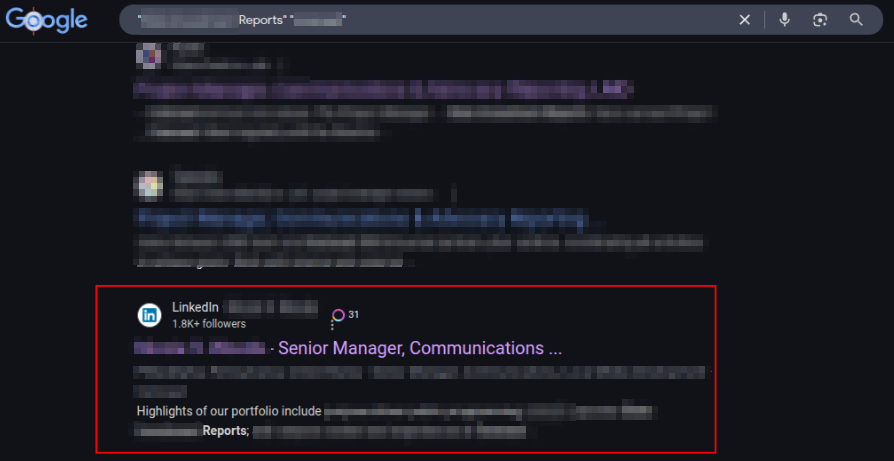
This linked-in profile finally gave me the first/lastname of someone who has worked on this subdomain. As I know my target very well, I knew the email format straightaway.
I rushed to the reports listing endpoint, using that email, and… nothing, it was empty:
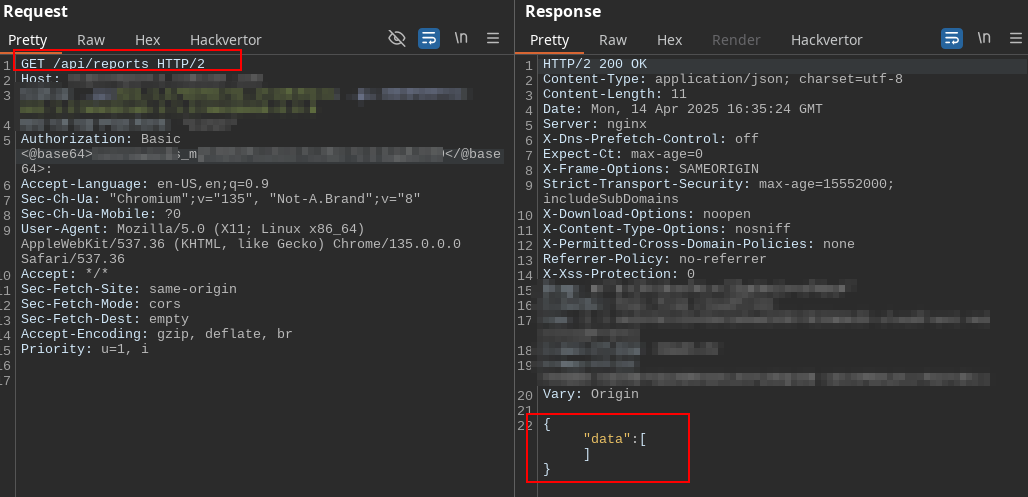
But remember what I said, this UPN format can be the email, or the username. I tried all the possible formats I knew but nothing worked, so I had to dig deeper.
Microsoft SSO
I knew one thing: The Microsoft SSO often leaks some informations that can be useful for OSINT. So I went to look at what I could find.
The key was to use what I call now the “public email” of my interesting user. This email is just the one you could easily guess: [email protected]. By initiating either a login request, or a password reset request using this email, and looking at the responses, I noticed an endpoint /<UUID>/resume. Again, all I have is an email so I can’t complete the login process, but just messing with the SSO view was enough to trigger this call.
Within the unauthenticated request /<UUID>/resume, I found an interesting piece of information:
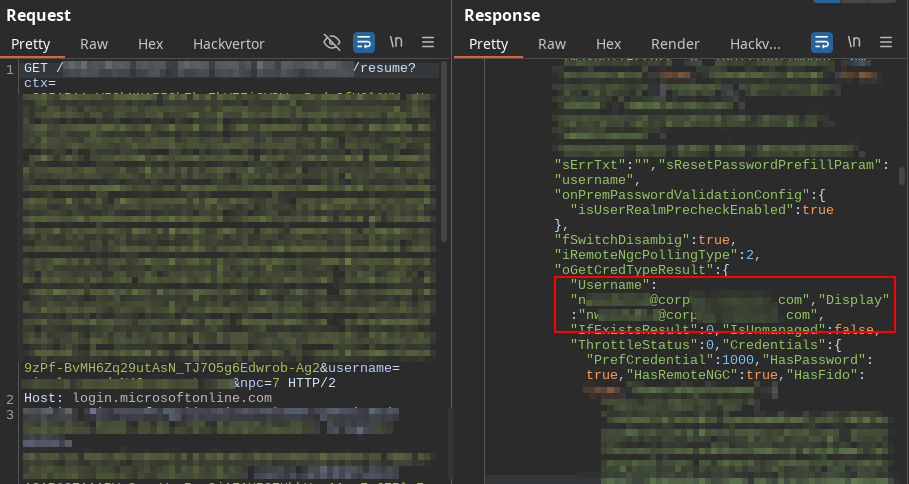
The thing highlighted in red is an email format I’ve never seen for that target. Hyped by this discovery, I rushed to the reports lising once again, set the basic token to <newemail>_<key>, but this time it worked:
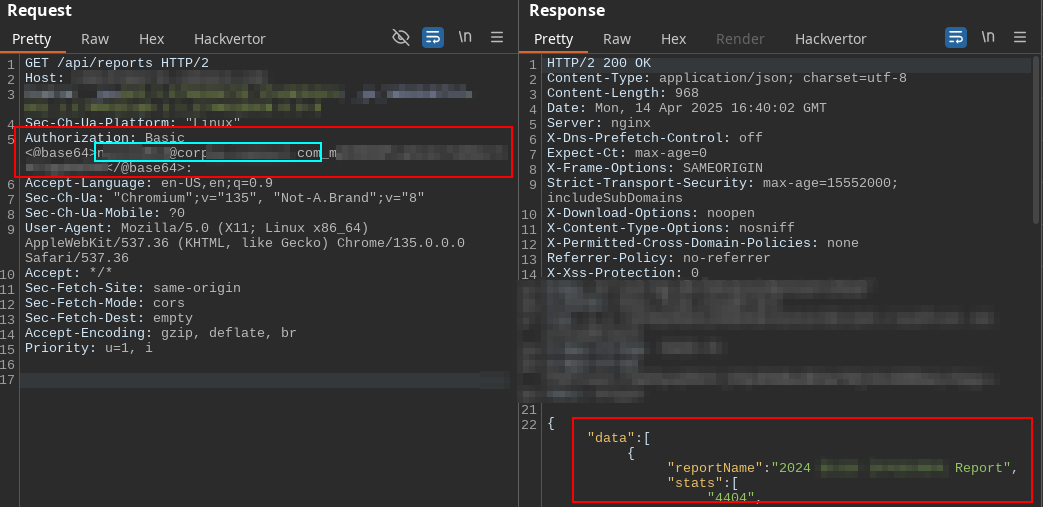
I had everything needed to write a nice critical report, that got nicely rewarded :D
Timeline
- 14/04/2025 5:50 PM - Report sent
- 15/04/2025 1:37 PM - Report triaged
- 02/05/2025 6:12 AM - $3,500 Bounty awarded